Portie Is Live
Every Tuesday I ship something. This week it is Portie, a port monitor for macOS.
The problem is a familiar one. You run npm start and get “address already in use.” You run lsof -ti:3000 | xargs kill from memory, or you Google it, or you open Activity Monitor and poke around trying to find the right process. It works, but it is tedious, and it is the kind of thing you do dozens of times without ever getting faster at it.
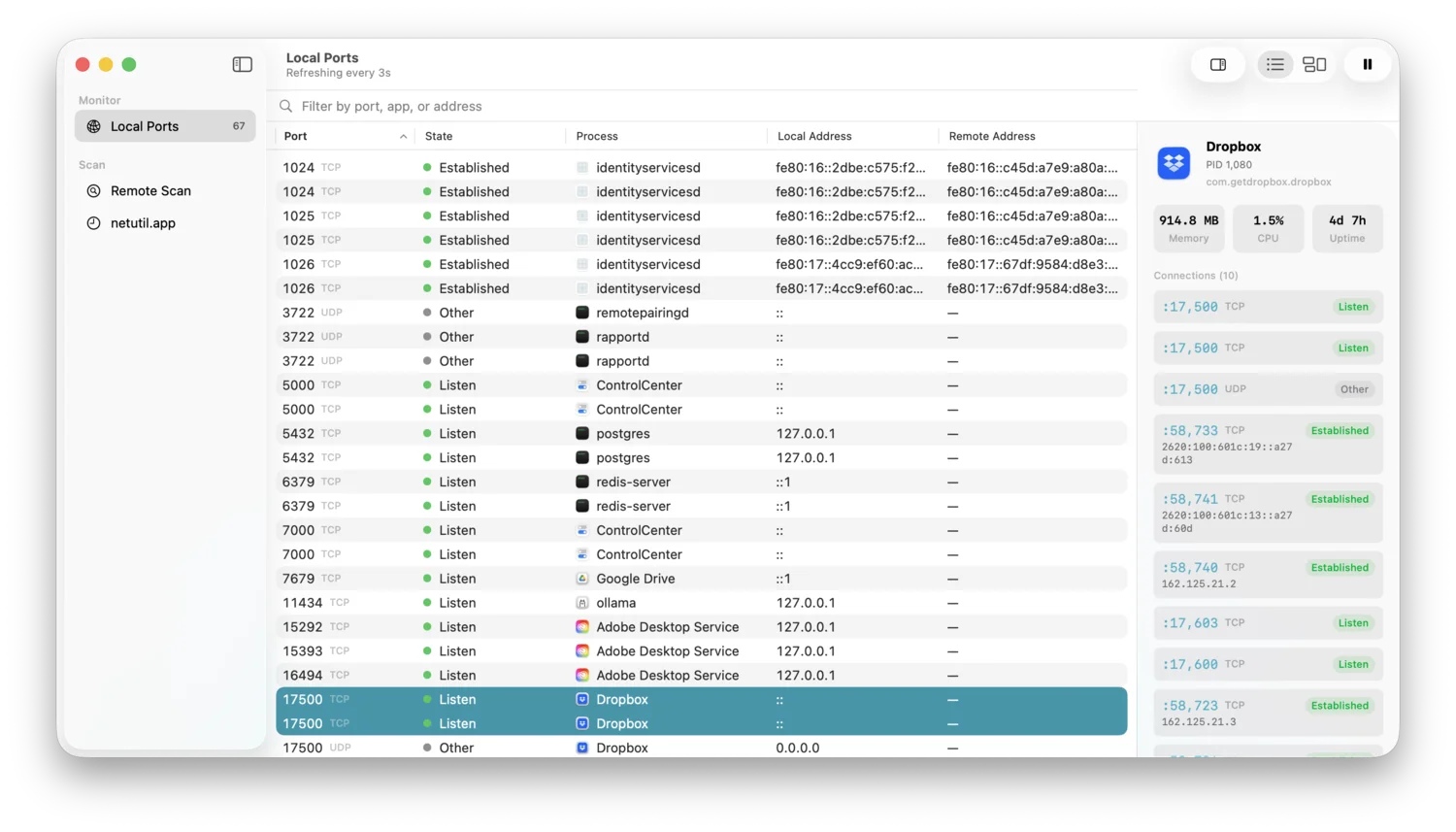
Portie replaces all of that. One window. Every open port, which app owns it, and a kill button if you need it.
What is in the app
Live local monitoring: Portie shows every open TCP and UDP port on your Mac, refreshed every 3 seconds automatically using native APIs. No shell commands running in the background. No sudo prompt unless you are looking at a root-owned process.
View by app or port: You can see the port list flat and sortable, or grouped by application with disclosure groups so you can focus on one process at a time. Search and filter by port number, app name, or address.
Process control: From any port in the list, you can gracefully quit or force-kill the process that owns it. SIGTERM first, then SIGKILL if the process does not respond within 3 seconds. There is a keyboard shortcut for this too.
Remote port scanner: Scan any hostname or IP address for open ports with service name identification built in. The defaults scan the top 100 common ports, but you can configure your own range, adjust the timeout, and tune concurrency.
Why I built it
I hit the “port already in use” wall constantly during development. The terminal one-liner is not hard to remember, but it is still friction. Open a new terminal tab, run the command, confirm the process is gone, switch back to what you were doing. Portie makes it one click.
The remote scanner came from a different place. When something on the network is behaving unexpectedly, the first question is usually “what is actually open on that machine?” Having that answer in a native app without setting up nmap felt worth building.
Pricing
Local port monitoring is free with no usage limits. The remote scanner and process control are unlocked with a one-time $8.99 purchase with no subscription and no account required.
Download it at portie.dev or read more on the Portie app page.