Soundshine Doctor Is Live
Every Tuesday I ship something. This week it is Soundshine Doctor, a free Mac app that works out why your sound is wrong and fixes what it safely can.
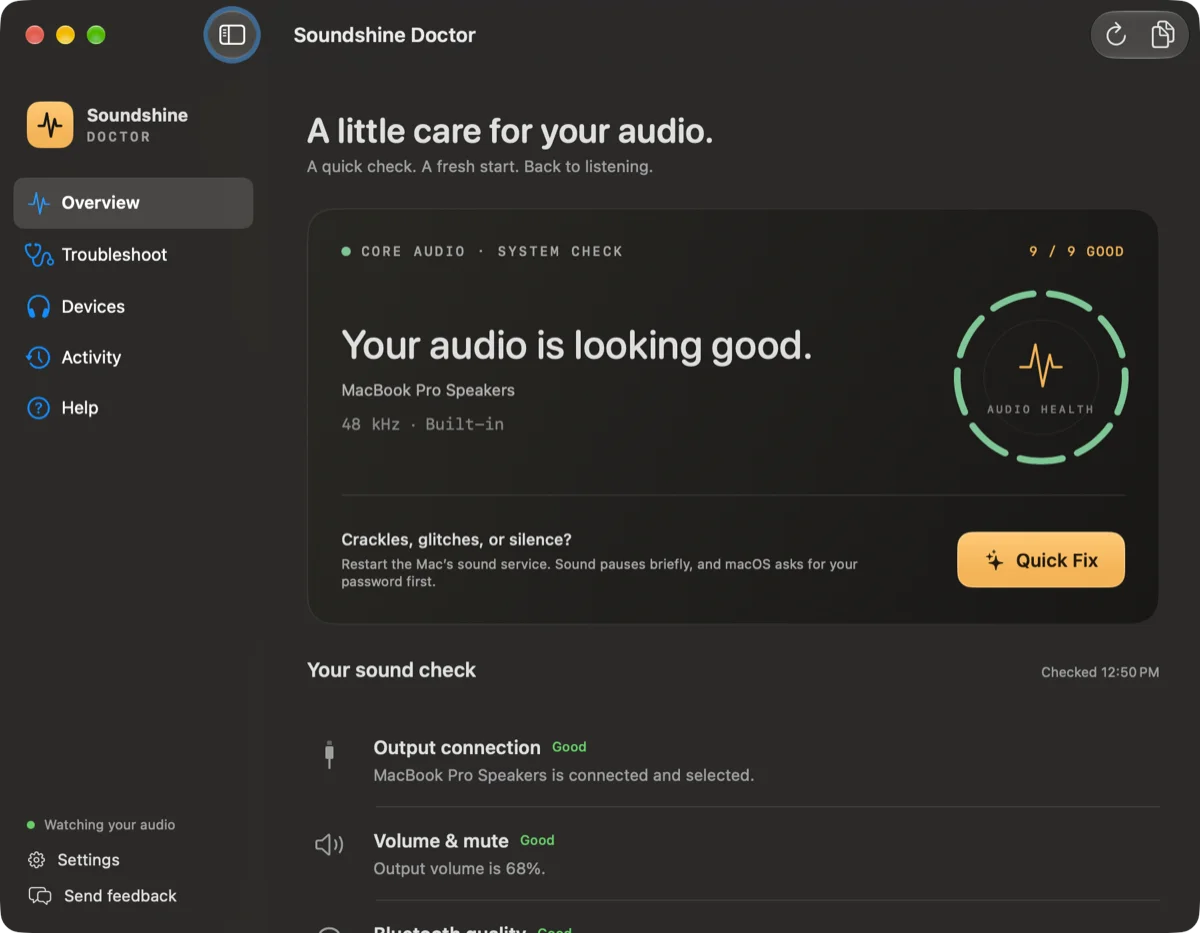
What it does
Open it and you get one screen with nine checks: where your sound is going, the volume and mute state, Bluetooth quality, the microphone, the left and right balance, where alerts are playing, and whether macOS has been reporting stutters. Each one says what it found in a sentence.
Then there is one button, Quick Fix. You tell it what you are hearing, or not hearing: no sound, crackles, muffled Bluetooth headphones, a silent microphone, sound on one side only, missing alerts. It applies the repair that fits and then asks how it sounds. If the answer is “still wrong”, it opens the next check instead of declaring victory.
It also lives in the menu bar, so a quick check does not need the window.
The Terminal command it replaces
If you have searched for a Mac sound problem, you have been told to open Terminal and run sudo killall coreaudiod. It restarts the service behind all Mac audio, and it works often enough that people have been passing it around for more than a decade.
Doctor does that restart for you, with a few things the command does not do. It looks for a simpler cause first, like a muted Mac or an output that is no longer connected. It refuses to restart while any app is using a microphone, so it will not cut off a call. And afterwards it puts your output back where it was.
macOS still asks for your password for that step. There is no way around that, and there should not be.
What it will not do
It never repairs anything on its own. Nothing changes until you click.
It does not record audio. The microphone test measures how loud you are for ten seconds and saves nothing.
It does not treat your choices as faults. A muted Mac is noted, not flagged, and Quick Fix leaves it alone unless silence is the thing you came to fix.
And it cannot hear your speakers. It reports what macOS tells it, so a clean check is not proof that a crackle is gone. The app says so on its first screen.
Pricing
Soundshine Doctor is free. No trial, no account, no license key, and updates arrive in the app.
It is English only for now and needs macOS 15 or later.
It is at soundshine.app/doctor, and there is an app page for it here. If it gets your sound working and you want to do more with it, the rest of the family is Soundshine, which sends audio into other apps, and Soundshine Record, which saves it to a file.
I also wrote up the five problems people search for most, each with the fixes in the order worth trying: Mac sound not working, volume keys that do nothing, crackling MacBook speakers, a microphone that is not working, and what sudo killall coreaudiod does.
What’s next
More next Tuesday.