Soundshine Record Is Live
Every Tuesday I ship something. This week it is Soundshine Record, a macOS app that records the audio playing on your Mac and saves it to a clean file.
What it does
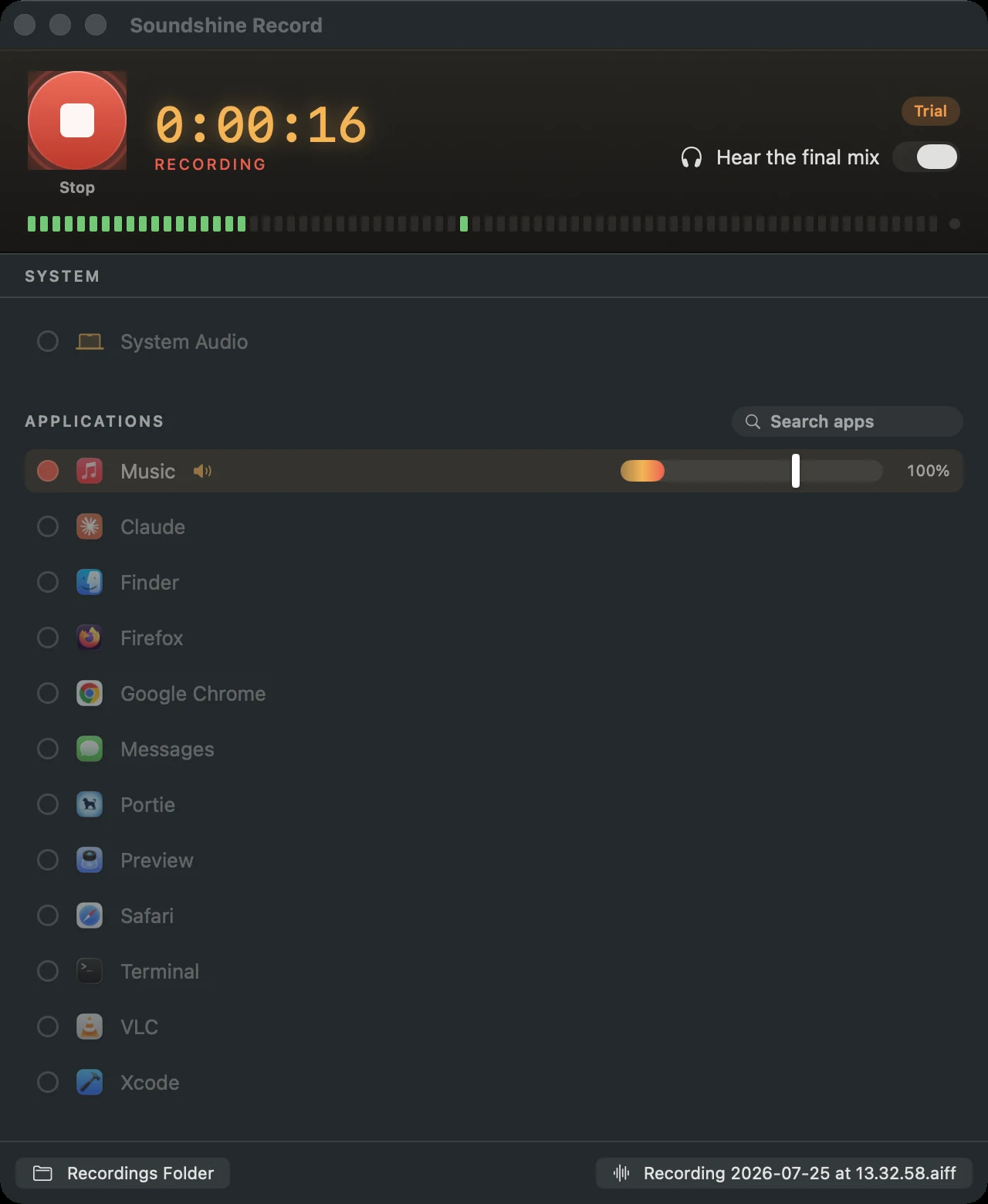
Pick your sources and hit record. You can capture everything your Mac is playing, or pick out just the apps you care about, and add any microphone alongside either. A call and your own voice land in the same file.
Every source gets its own volume slider and a live level meter, and you can rebalance the mix while the recording is running. You are not committing to levels before you know what the thing sounds like.
Monitoring is on by default, so you hear the finished mix as it records. The apps being captured get routed through Soundshine Record instead of your speakers, which is the part that usually goes wrong: without it you hear the app directly and again through the monitor path, and everything doubles.
Recordings save as AAC by default, or WAV or AIFF, in 48 kHz stereo, to Music ▸ SoundshineRecord or any folder you point it at.
No driver
This is the part I am happiest about. Every other way to do this on a Mac starts with installing a virtual audio driver, then building an aggregate device in Audio MIDI Setup, then remembering to undo it afterward. It is a kernel-adjacent install and an admin password to record a Zoom call.
Soundshine Record uses Core Audio process taps instead. Nothing gets installed into the system, there is no admin password, and there is no restart. You grant recording permission once and that is the whole setup.
The tradeoff is that process taps are new, so this needs macOS 15 or later. That felt like the right trade. The alternative was shipping a driver I would then have to maintain against every macOS release, which is exactly the treadmill I have been on with the original Soundshine.
Why I built it
Soundshine, the original, sends your system audio into other apps as a microphone. It has been my most successful app, and for months the most common thing people arrived looking for was something it does not do.
I write about Mac audio problems on the Soundshine site, and one of those posts is about recording internal audio on macOS. It has been quietly pulling in people from search who want to record what their Mac is playing, in English, Japanese, and German. Some of them bought Soundshine. Soundshine is not a recorder. They were buying the closest thing on offer and then doing the virtual-cable dance themselves.
So the two apps now split the job cleanly. Route sends audio into other apps. Record saves audio to a file. Same family, same one-time pricing, and each one stops pretending to be the other.
Pricing
Try every feature free. Trial recordings include a gentle chime every 30 seconds, and that is the only limitation: no time limit, no locked features, no signup. A one-time purchase of $14.99 removes the chime permanently. No subscription, and updates are free.
It ships in 15 languages and needs macOS 15 or later.
Soundshine Record is at soundshine.app/record, and there is an app page for it here. The original is still at soundshine.app and has its own page.
What’s next
More next Tuesday.